Introduction
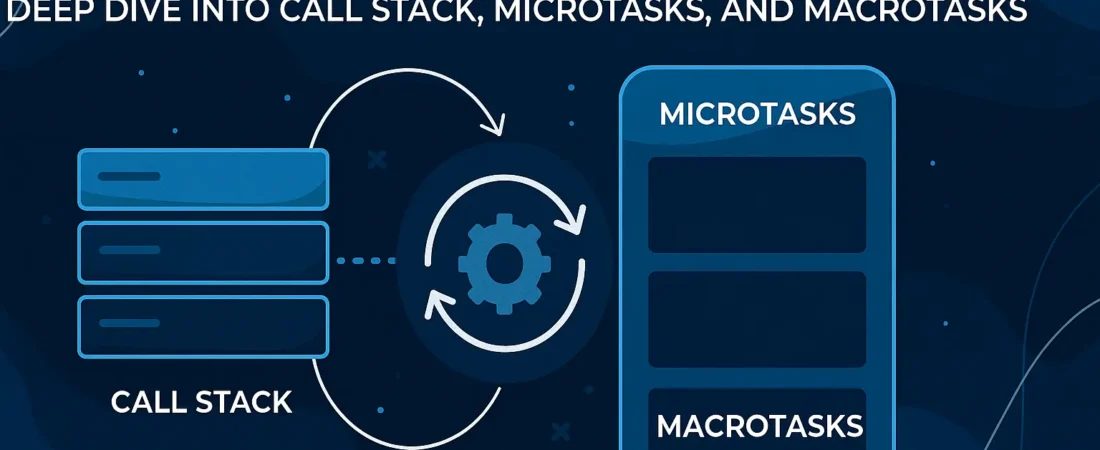
JavaScript’s concurrency model is one of the most misunderstood aspects of the language. While many tutorials offer coffee shop metaphors and oversimplified explanations, the reality of how the event loop coordinates the call stack, microtasks, and macrotasks is both elegant and complex. This article cuts through the superficial coverage to reveal exactly how these components interact in the JavaScript runtime.
The Core Components: Beyond the Basics
The Call Stack: JavaScript’s Execution Engine
The call stack is a fundamental data structure that records where in the program we are. When a function is called, it’s pushed onto the stack; when it returns, it’s popped off. This follows the Last-In-First-Out (LIFO) principle.
Every JavaScript program starts with a single frame on the call stack – the global execution context. As functions are invoked, their execution contexts are pushed onto the stack. When the stack is empty, JavaScript knows it can move on to processing asynchronous tasks.
Macrotasks (Task Queue): The Main Event Queue
Macrotasks, often referred to as tasks or the callback queue, contain units of work that are processed one at a time by the event loop. Common macrotask sources include:
setTimeoutandsetIntervalcallbacks- I/O operations (network requests, file operations)
- User interactions (click events, keyboard events)
setImmediate(Node.js)requestAnimationFrame(browser)
The event loop continuously checks whether the call stack is empty and whether there are pending tasks in the callback queue or microtask queue.
Microtasks: The High-Priority Queue
The microtask queue is a special queue that has higher priority than the macrotask queue. Microtasks include:
- Promise callbacks (
.then(),.catch(),.finally()) queueMicrotask()callbacks- MutationObserver callbacks
process.nextTick()in Node.js (though it has even higher priority than standard microtasks)
The critical distinction is that the event loop processes all microtasks before moving to the next macrotask.
The Execution Order: The Heart of the Matter
The event loop’s execution algorithm follows a precise sequence that many developers misunderstand. Here’s the exact order:
- Execute the current macrotask – Run the code from the current task until the call stack is empty
- Process all microtasks – After the call stack empties, execute all microtasks in the microtask queue, including any new microtasks enqueued during this phase
- Render updates (in browsers) – Update the UI if needed
- Select and execute the next macrotask – Take the oldest task from the macrotask queue and repeat the process
The event loop processes all microtasks after each macrotask before moving to the next macrotask; if microtasks add more microtasks, they’ll all be processed before the next macrotask runs.
Deep Dive: The Execution Algorithm
Let’s examine this with concrete examples:
Example 1: Basic Execution Order
console.log('1');

setTimeout(() => console.log('2'), 0);

Promise.resolve().then(() => console.log('3'));

console.log('4');Output: 1, 4, 3, 2
Why?
console.log('1')executes immediately (call stack)setTimeoutschedules a macrotaskPromise.resolve().then()schedules a microtaskconsole.log('4')executes immediately (call stack)- Call stack empties → process microtasks →
console.log('3') - Microtask queue empties → process next macrotask →
console.log('2')
The Event Loop will execute in the following order: Push console.log(1) onto the Call Stack → Execute it immediately, printing 1 to the console.
Example 2: Nested Microtasks
console.log('Start');

setTimeout(() => console.log('Timeout 1'), 0);

Promise.resolve().then(() => {

console.log('Promise 1');

Promise.resolve().then(() => console.log('Nested Promise'));

});

setTimeout(() => console.log('Timeout 2'), 0);

console.log('End');Output: Start, End, Promise 1, Nested Promise, Timeout 1, Timeout 2
Notice how the nested microtask (Nested Promise) executes before any macrotasks, even though it was scheduled during microtask processing.
Example 3: Microtask Starvation
functionscheduleMicrotask() {

queueMicrotask(() => {

console.log('Microtask');

scheduleMicrotask(); // Schedule another microtask

});

}

scheduleMicrotask();

setTimeout(() => console.log('This will never run'), 0);This code demonstrates a critical concept: if microtasks keep scheduling more microtasks, the event loop will never process macrotasks. This is called microtask starvation and can cause your application to become unresponsive.
The Event Loop in Action: A Step-by-Step Breakdown
The event loop concept is very simple. There’s an endless loop, where the JavaScript engine waits for tasks, executes them and then sleeps, waiting for more tasks.
Here’s the detailed algorithm:
- Initialization: JavaScript engine starts with empty call stack, microtask queue, and macrotask queue
- Global Execution: Execute global script (pushed to call stack)
- Asynchronous Operations: When async operations are encountered:
- Web APIs handle the operation (e.g., timers, network requests)
- Callbacks are queued in appropriate queues when ready
- Event Loop Tick:
- Wait for call stack to be empty
- Process all microtasks (flush the entire microtask queue)
- Process one macrotask (oldest in queue)
- Repeat
The process of deciding the order of the execution of the task is called Event Loop. Event Loop has different groups including Call Stack and Web API containers.
Advanced Concepts and Edge Cases
Microtask Timing in Browsers
In browsers, microtasks are processed:
- After every macrotask
- After handling events (click, keyboard, etc.)
- After parsing HTML and executing inline scripts
- Before rendering updates
This timing ensures that DOM mutations from microtasks are batched and rendered together, improving performance.
Node.js vs Browser Differences
While the core event loop mechanism is similar, there are differences:
- Node.js: Has additional phases (poll, check, close) and
process.nextTick()has higher priority than Promise microtasks - Browsers:
requestAnimationFramecallbacks are processed before the render phase but after microtasks
Performance Implications
Understanding the event loop is crucial for performance:
- UI Responsiveness: Long-running macrotasks block the UI. Break them into smaller chunks
- Microtask Overuse: Excessive microtasks can delay rendering and user interaction
- Memory Leaks: Improper cleanup of event listeners and callbacks can lead to memory leaks
The event loop driving your code handles these tasks one after another, in the order in which they were enqueued. The oldest runnable task gets processed first.
Common Misconceptions
Myth: “setTimeout(fn, 0) means ‘run next’”
Reality: setTimeout(fn, 0) schedules a macrotask, which will run after all current microtasks and the current execution context complete. It’s not truly “immediate.”
Myth: “Promises are always faster than setTimeout”
Reality: Promises use microtasks, which have higher priority than macrotasks, but this doesn’t mean they’re “faster” – it means they’re processed at a different phase of the event loop.
Myth: “The event loop runs in a separate thread”
Reality: JavaScript is single-threaded. The event loop is a coordination mechanism, not a separate execution thread. Web APIs run in separate threads, but JavaScript execution itself is single-threaded.
Practical Applications
1. Batch DOM Updates
functionbatchUpdates() {

// Schedule DOM updates as microtasks to batch them together

queueMicrotask(() => {

document.getElementById('element1').textContent = 'Updated 1';

document.getElementById('element2').textContent = 'Updated 2';

});

}2. Deferring Work Until After Rendering
functiondoHeavyWork() {

// Do initial work

console.log('Initial work');

// Defer remaining work until after rendering

setTimeout(() => {

console.log('Continuing work after render');

}, 0);

}3. Building Custom Asynchronous Patterns
classAsyncQueue {

constructor() {

this.queue = [];

}

add(task) {

this.queue.push(task);

this.processNext();

}

asyncprocessNext() {

if (this.queue.length === 0) return;

consttask = this.queue.shift();

await task(); // This creates a microtask boundary

// Schedule next processing as microtask to maintain priority

queueMicrotask(() => this.processNext());

}

}Conclusion
The JavaScript event loop is not magic – it’s a precisely defined algorithm that coordinates synchronous and asynchronous execution through the interaction of the call stack, microtask queue, and macrotask queue. By understanding exactly how these components interact, you can write more predictable, performant code and debug complex asynchronous issues with confidence.
Remember the golden rule: After each macrotask, the event loop processes all microtasks before moving to the next macrotask. This simple principle explains most asynchronous behavior in JavaScript.
The JavaScript event loop enables asynchronous programming by managing task execution order in a non-blocking way. It coordinates the call stack, task queue, and microtask queue to create the illusion of concurrency in a single-threaded environment.
Mastering this knowledge transforms you from a JavaScript user to a JavaScript engineer who can truly understand and control the flow of execution in your applications. No more guessing why your callbacks run in a particular order – you now have the complete picture of JavaScript’s concurrency model.